Run your whole driving school from one app
Online booking, instructor schedules, card payments, reminders and student progress. Owners, instructors and students all sign in once and land on their own screens.
Everyone gets exactly what they need
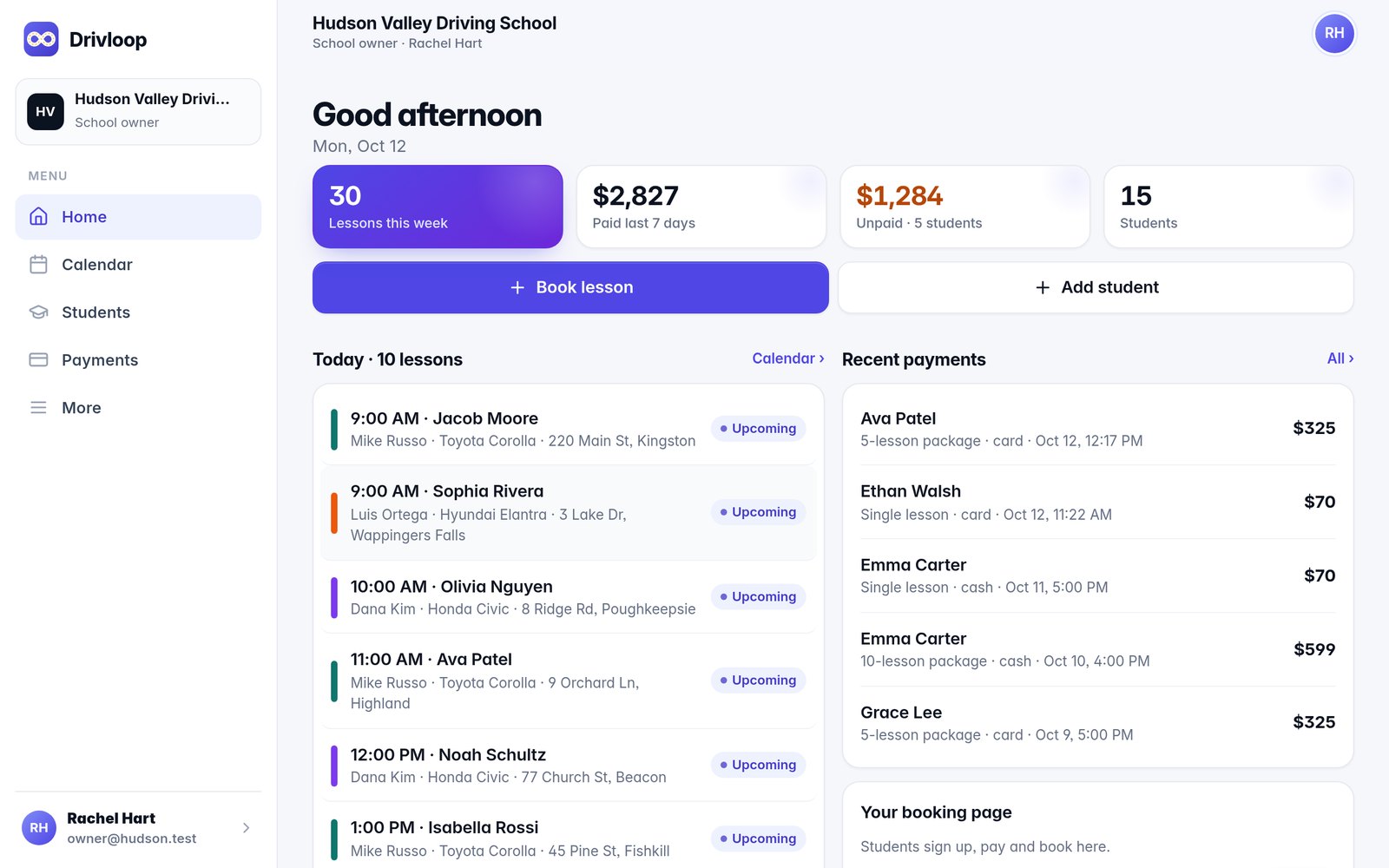
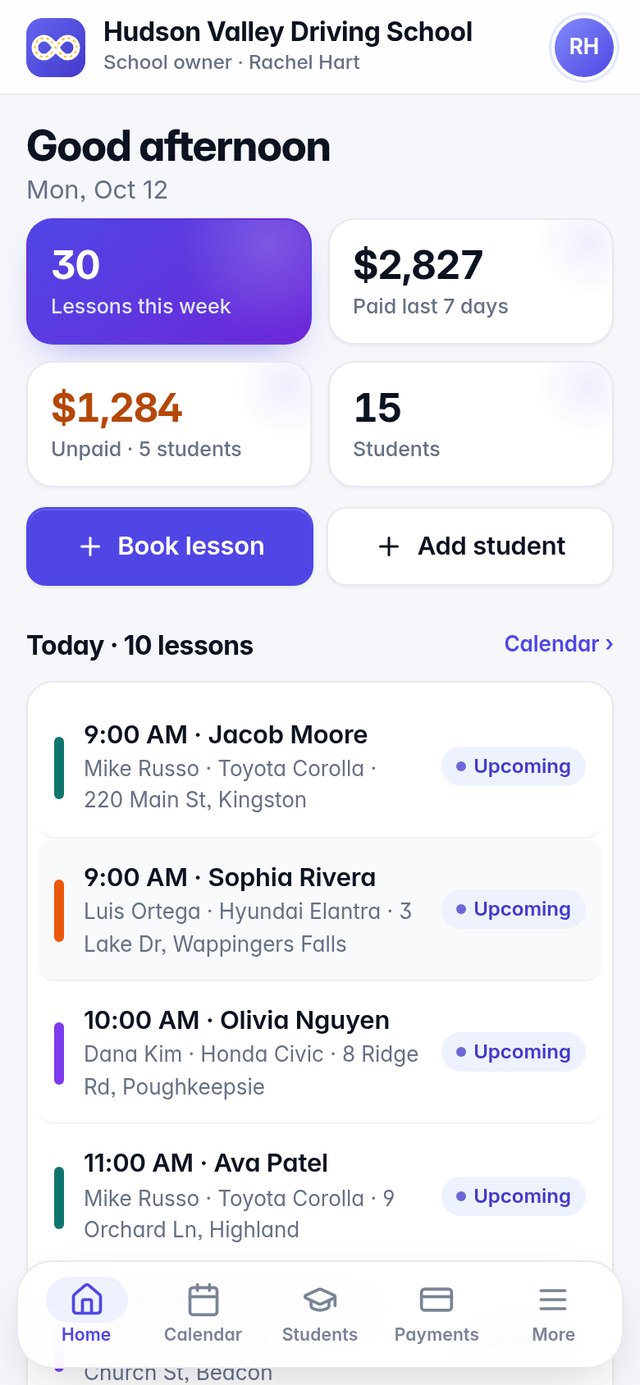
One Drivloop app on every phone. Sign in once and it knows who you are — the owner sees the school, the instructor sees today, the student sees their progress.
For the school owner
Calendar for every instructor and car, students, payments, reports and settings.
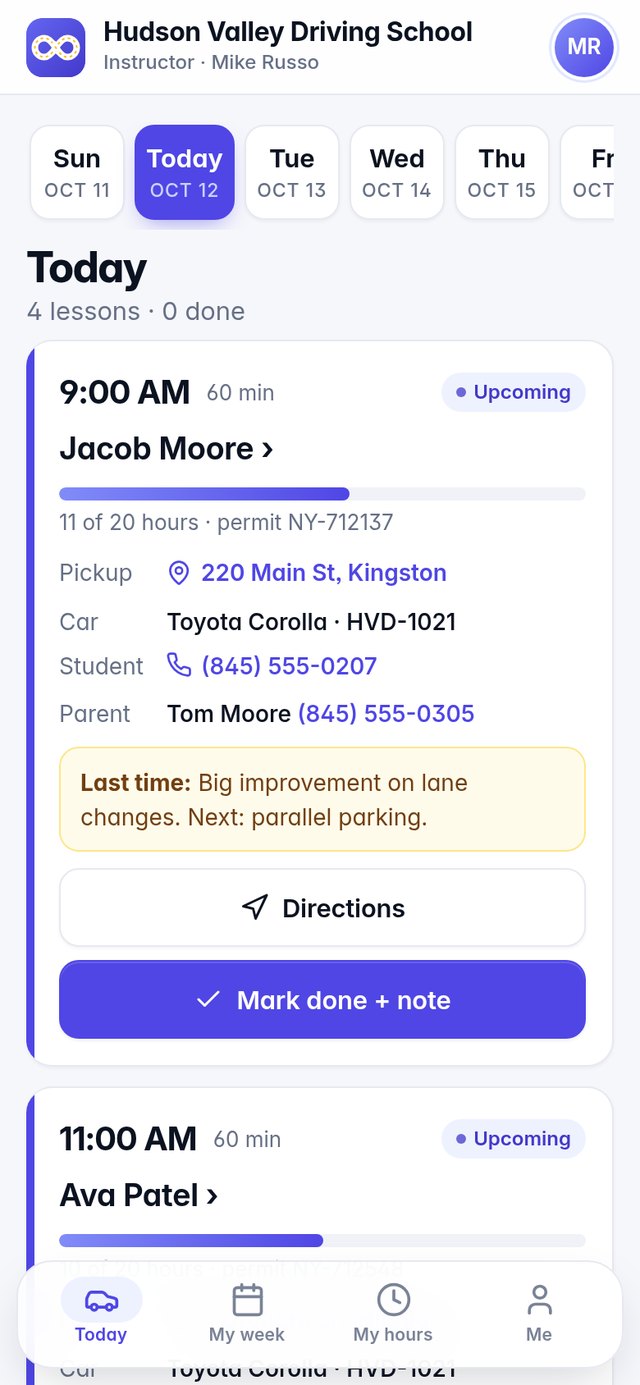
For instructors
Today’s lessons, pickup address with one-tap directions, skills checklist and notes.
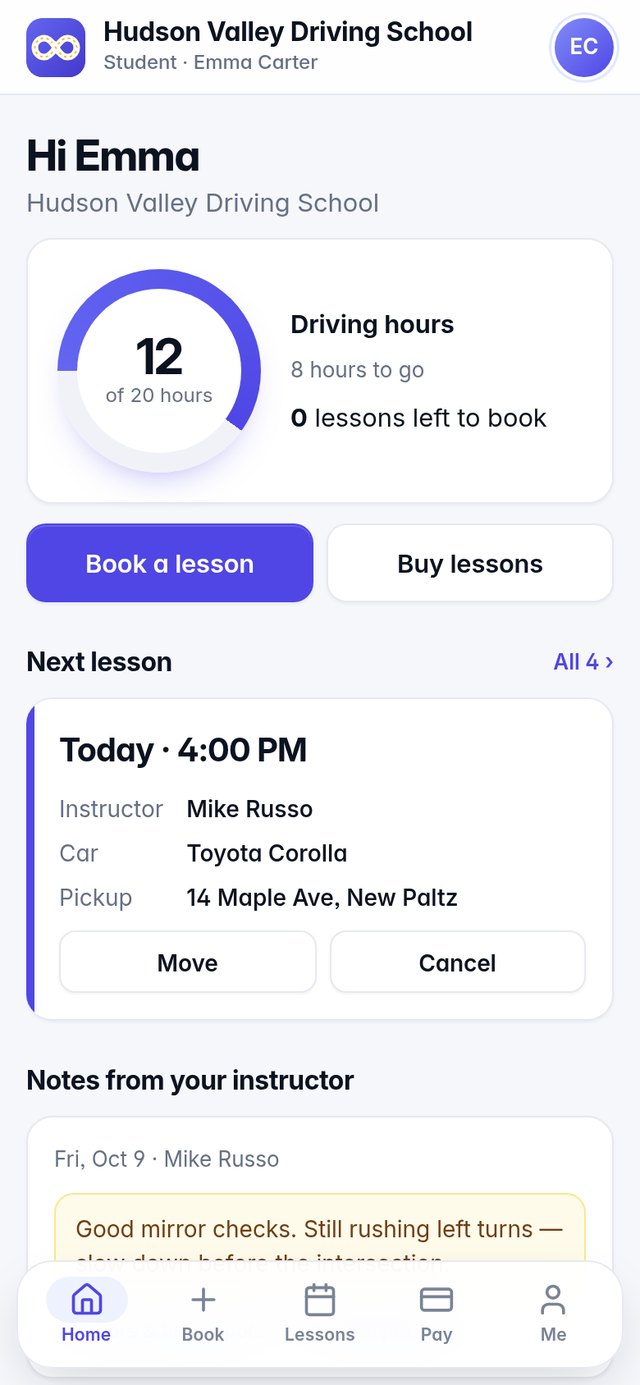
For students
Buy lessons, book and move times, see hours (12 of 20) and instructor notes.
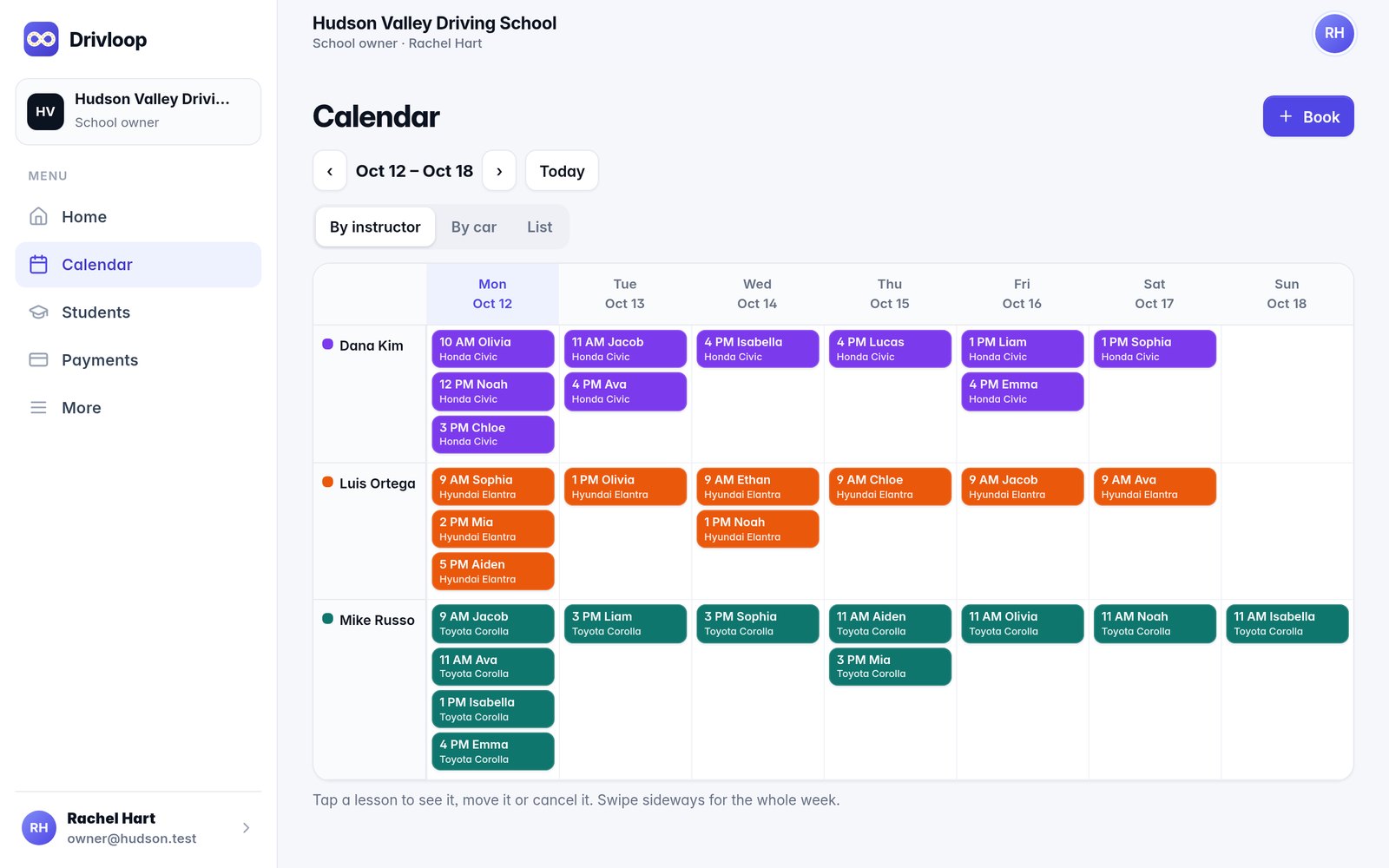
A live calendar the whole team shares
Every lesson by instructor and by car, with pickups, packages and notes attached.
- No double-booking of instructors or cars
- Weekly hours and days off for every instructor
- Book, move or cancel in two taps, inside your rules
- Your own booking page where new students sign up and pay
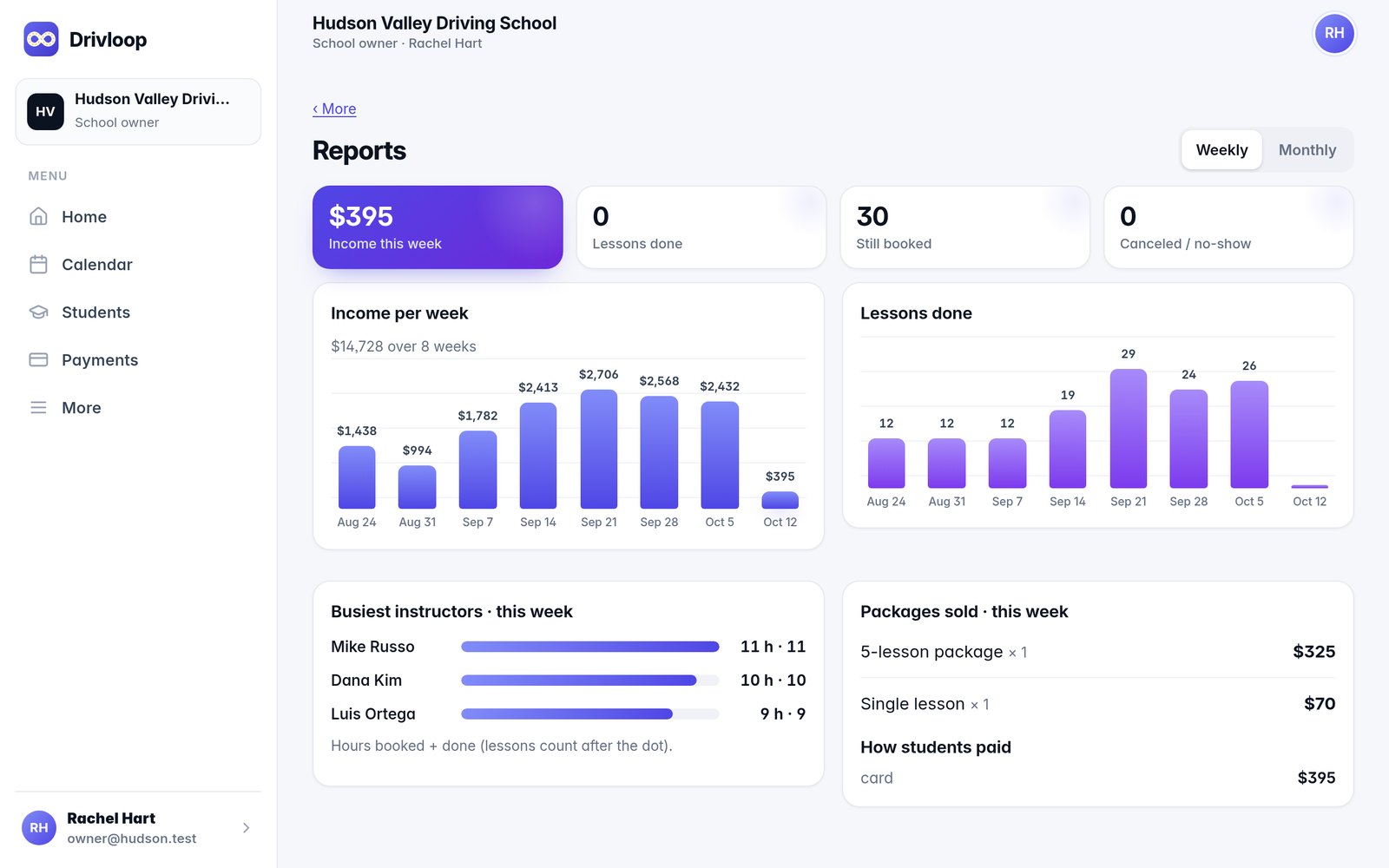
Get paid before the lesson, not after
Students pay by card for lesson packages. Cash and checks are one tap. Reminders go out on their own.
- Connect Stripe with one button — money goes straight to your bank
- See who owes what and send a reminder in one tap
- Income by week and month, busiest instructors, packages sold
- Automatic texts & emails before every lesson
Retire the paper book and the phone tag
Everything that used to live in notebooks, texts and spreadsheets, in one place.
The paper book
One live calendar the whole team sees.
Phone tag
Students book, move and cancel online — inside your rules.
Chasing payments
Card payments up front and automatic reminders for what’s owed.
Spreadsheets
Hours, income and busiest instructors, worked out for you.
Try it with a sample school
“Hudson Valley Driving School” — real, working screens. Tap one and you’re logged in.
Up and running in an afternoon
Create your school
Name, logo, prices and lesson packages — about 5 minutes.
Invite instructors, add cars
Instructors get a link, set a password and see their lessons.
Share your booking link
Connect Stripe with one button and start getting paid by card.
Simple monthly pricing
Every plan starts with a 14-day free trial. No setup fees. Your whole team and all your students included.
- Up to 2 instructors
- Online booking page
- Student app
- Card payments (Stripe)
- Lesson reminders
- Up to 6 instructors
- Everything in Starter
- Instructor app + skills checklists
- Payment reminders
- Reports
- Unlimited instructors
- Everything in Growth
- Priority support
- Multiple cars & calendars
- Custom booking page
Questions
Do my students need to download something?
No app store needed. They open your booking link, and can add Drivloop to their home screen with one tap.
Do I need a different app for each role?
No. There is one Drivloop app and one login. Owners, instructors and students sign in the same way and each lands on their own screens.
How do card payments work?
Press “Connect Stripe” and fill in your business and bank details on Stripe’s secure page. Student payments go straight into your own account. Cash and checks work too — mark them paid in one tap.
Can students cancel whenever they want?
You set the rules: how many hours before a lesson they can cancel or move for free, and whether late cancels lose the lesson.
Do reminders go out automatically?
Yes — a text or email before every lesson, and polite reminders for unpaid balances, on the schedule you choose.
Can I cancel?
Anytime, from your billing page. No contracts.